
Delivery order system Malaysia: AutoCount billing workflow
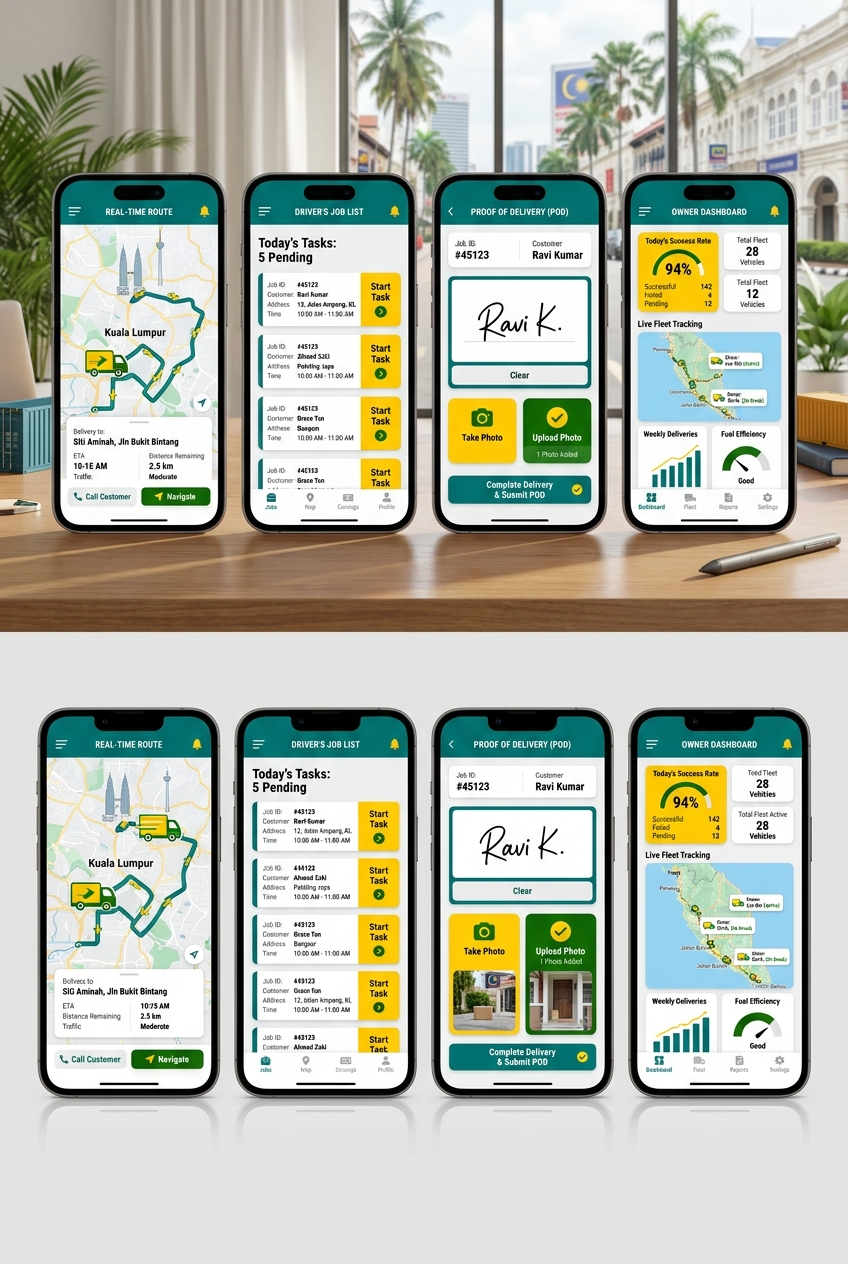
Short answer: A delivery order system should show every order from dispatch to driver proof to billing readiness. If the business uses AutoCount, completed delivery data should become clean billing input instead of another manual finance task.
This guide is for logistics, trading, distribution and warehouse-heavy businesses where paper DOs, WhatsApp updates or driver photos slow down billing.
The hidden cost of paper delivery orders
A delivery can be completed but still not billable.
That happens when proof of delivery is still on paper, inside a driver's phone, in a WhatsApp group, or waiting for someone to sort documents at the office.
The business has already done the work, but finance cannot invoice confidently.
The workflow a delivery order system should cover
1. Dispatch creates the job
The job should include customer, delivery address, item or service line, delivery date, vehicle or driver, remarks, and billing reference where needed.
2. Driver receives a clear mobile task
The driver should not depend on long chat instructions. The task should show the job, location, proof requirement, contact note and action buttons.
3. Delivery status updates in real time
Useful statuses include:
- Pending.
- Assigned.
- Out for delivery.
- Arrived.
- Completed.
- Failed.
- Partial delivery.
- Ready for billing.
- Billed.
Status control matters because every team sees the same truth.
4. Proof is captured properly
Proof may include signature, photo, timestamp, GPS point, quantity confirmation, failed delivery reason, customer remark or uploaded document.
Proof should belong to the delivery order record, not a chat thread.
5. Billing receives a clean record
Finance should see a billing-ready record with customer, delivered quantity, reference number, proof, date and exception notes.
If AutoCount is used, the integration should map debtor code, stock item, quantity, price, tax and document reference carefully.
For the deeper integration page, read Connect Delivery Completion to AutoCount Billing.
What makes AutoCount delivery integration safe
The risky approach is to create invoices blindly.
A safer approach:
- Delivery creates a billing-ready draft or queue.
- Mapping is checked before posting.
- Partial delivery creates the correct delivered quantity.
- Failed delivery does not trigger billing.
- Duplicate DO or invoice references are blocked.
- Finance can review exceptions.
- Audit logs show what moved and when.
This is why delivery integration belongs inside the broader AutoCount integration roadmap, not only as a technical API task.
What to build first
Start with the highest-friction point:
| Problem | First useful system layer |
|---|---|
| Drivers lose or delay signed DOs | Mobile proof of delivery |
| Dispatch keeps asking for status | Delivery status board |
| Finance waits too long to bill | Billing-ready queue |
| Customers dispute completion | Proof record with photo or signature |
| Failed deliveries are unclear | Failed reason and reschedule flow |
| AutoCount re-entry is slow | Delivery-to-billing mapping |
The first version should reduce real delay. It does not need every logistics feature on day one.
Proof from Result Marketing work
The closest proof is the Terasek delivery automation case study. Paper delivery proof used to slow billing and limit operational visibility. The replacement workflow captured proof on site and let finance act earlier.
That same principle applies to many Malaysian delivery and distribution businesses: connect the proof to the billing workflow.
FAQ
Can drivers use a simple mobile app?
Yes. The driver screen can be designed with large actions, minimal typing and clear status buttons.
Can this work without replacing AutoCount?
Yes. AutoCount can remain the accounting system while the delivery workflow handles dispatch, proof and billing readiness.
Should invoices be posted automatically?
Not always. Many businesses should start with a billing-ready queue so finance can review exceptions before posting.
How long does a focused delivery order system take?
A focused first version is often scoped around dispatch, driver proof, status board and billing handover. Timeline depends on complexity, but the safest first step is a workflow audit.
Map My Delivery Workflow